Liquid glass, UI templates and morphs, as shape layers.
13+ shapes, 8+ liquid glass shapes, shape morph, modifiers and 30+ UI templates. All built in your comp, all editable.
- 8+glass shapes
- 12+modifiers
- 30+UI templates


Tutorial
Watch the tutorial.
A walkthrough of the Shapes page inside After Effects: a glass shape, a morph between two shapes, strokes that draw on and a UI template filled with your own text.
The Shapes walkthrough is being recorded. Until it is up, the 7-day trial has every feature on this page.
Everything on the Shapes page.
The shape work behind product videos and explainers: glass, morphs, strokes that draw on and interface mock-ups, set up in the panel instead of built by hand.

Shapes › Liquid glass
Liquid glass you can still edit.
8+ glass shapes in 4+ styles: Clear, Light, Dark and Tint. Set the frost, bend, surface, size, rim light and shadow, then give it a motion.
The glass is built from ordinary layers in your comp, so you can move it, mask it or animate it like anything else.

Shapes › UI templates
Interface mock-ups with text you can rewrite.
30+ UI templates for product and explainer videos, such as a login form, a code input, a cookie banner, a review card, a poll, a weekly calendar, a revenue card and a notification.
The text stays editable, and each one animates by rows, by words or as a whole.
Shapes › Morph
Morph from one shape to the next.
Select two or more shapes, and Hextion makes one layer that morphs between them, glass to glass included.
Shapes › Morph
Three shapes, one glass capsule.
A sketch of what Morph does, drawn live in your browser by one small shader. In After Effects, Morph works on your own shapes and keeps the result editable.
An illustration, not a capture.
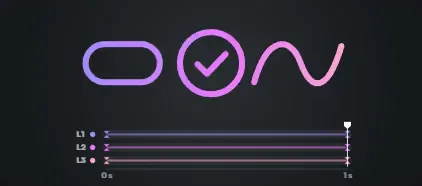
Shapes › Trim paths
Lines that draw themselves on.
Animated trim patterns with length, ease, stagger and direction, for strokes that draw on without the usual setup.

Shapes › Create
Shapes sized to your comp, in your colours.
13+ shapes that arrive sized to the comp, in your fill and stroke colours. Any of them turns into glass in one click.

Shapes › Stroke & style
Dashes, marching ants and tapers.
Dotted and dashed lines, marching ants, tapered strokes, caps and corner roundness, picked from cards instead of dug out of the stroke properties.

Shapes › Modifiers
12+ modifiers, each on a moving card.
See what a modifier does before you add it: every one plays on its own animated card, so you pick by result rather than by name.

Shapes › Framing grid
Framing guides that never render.
Guide layouts for lining up a shot or a layout. They sit in the comp as guides, so they never show up in a render.
Every page of the ring
Middle-click anywhere on this site to open the ring
Get every page of Hextion. Free for 7 days.
Every template, every sound, every tool. No card needed. All packs included, no subscription. See pricing